Estate management companies
Working patterns and days off
Tell OurGround when each person works and when they are off. Book a day off and the year re-plans itself.
-
Set their working pattern
Open a person and tap Pattern. Pick a preset, or set each day to Full, AM, PM or Off. Set the hours in a full and a half day. The pattern applies from a date you choose, so changes mid-year are easy.
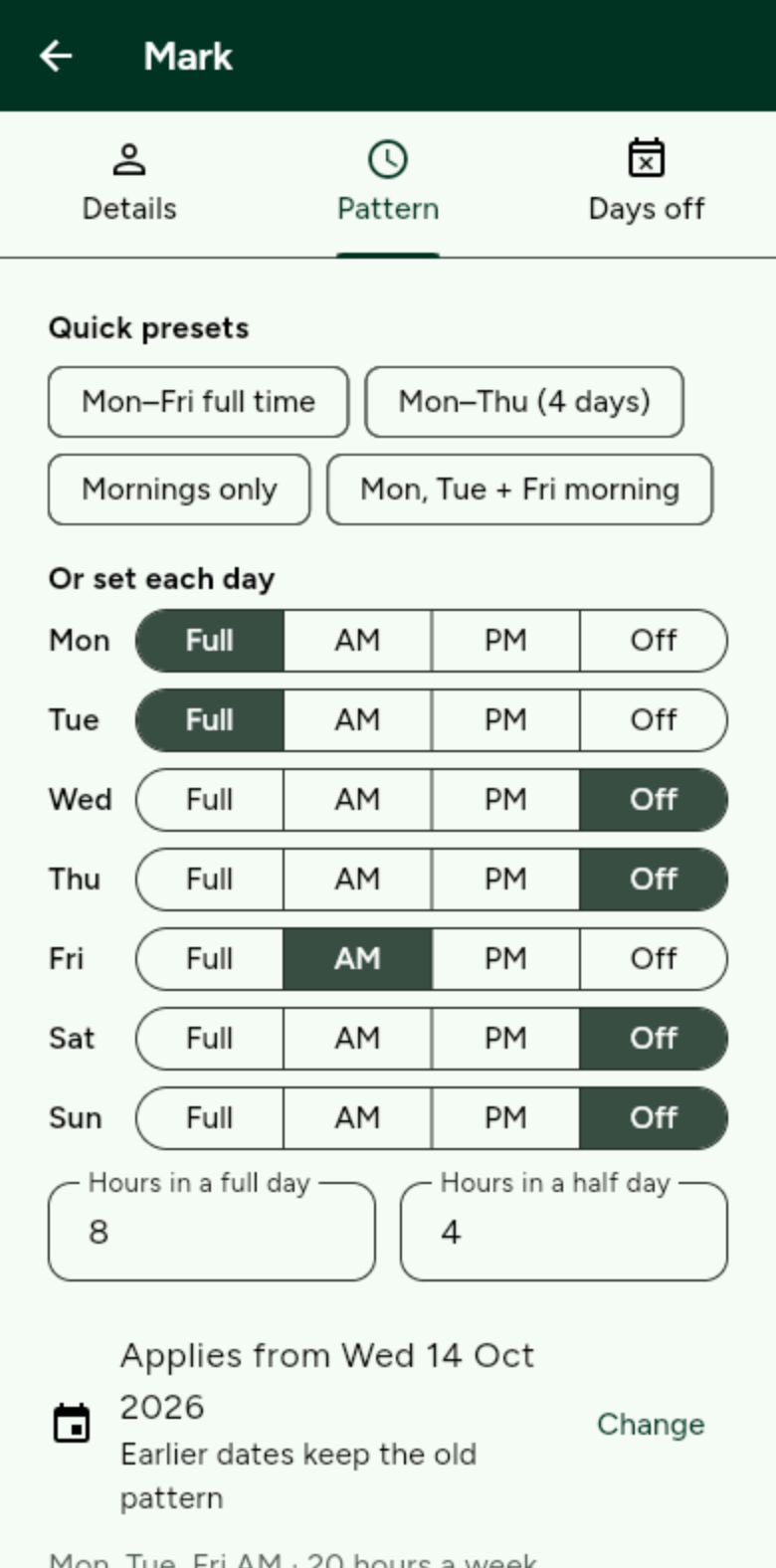
Earlier dates keep the old pattern, so history stays right. -
Book days off
Tap Days off. Tap a day, then tap or drag to the last day. Pick Holiday, Unplanned absence, Training or Other, tick any half days, and save. Bank holidays are already off.
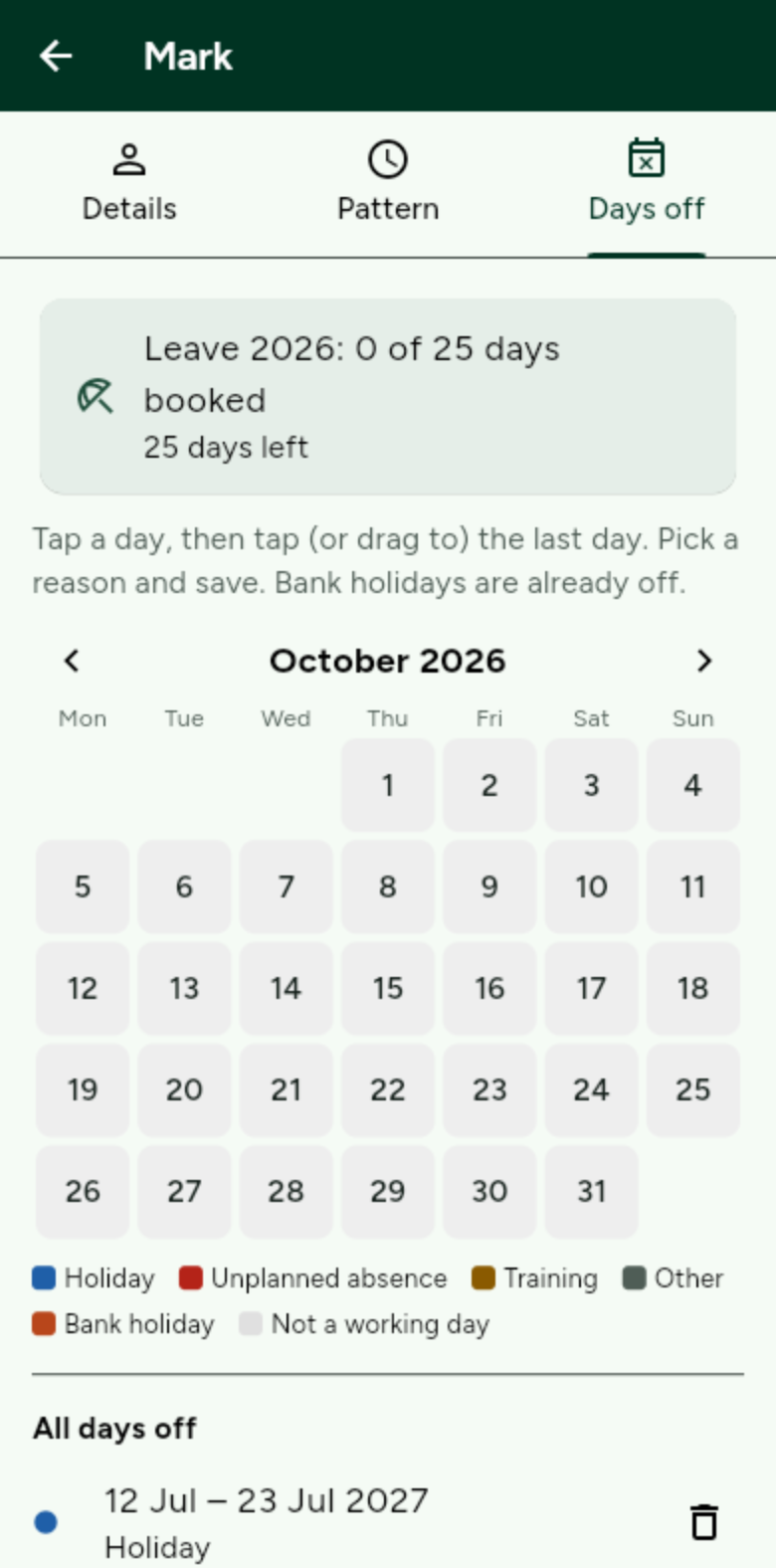
Leave is counted against their allowance, e.g. 0 of 25 days booked. -
Let it re-plan
Saving a day off re-plans the year automatically, and tells you what moved and anything that could not be covered. OurGround never asks for or stores health details.