Estate management companies
Plan the year
One button plans the whole year across every estate you manage, and tells you in plain English where the gaps are.
-
Check your jobs and timings
Open Jobs and timings. Every regular job on every estate is listed with the skill it needs, how long it takes, how many people and whether it needs a vehicle. Set the busier months, like grass twice a week in summer.
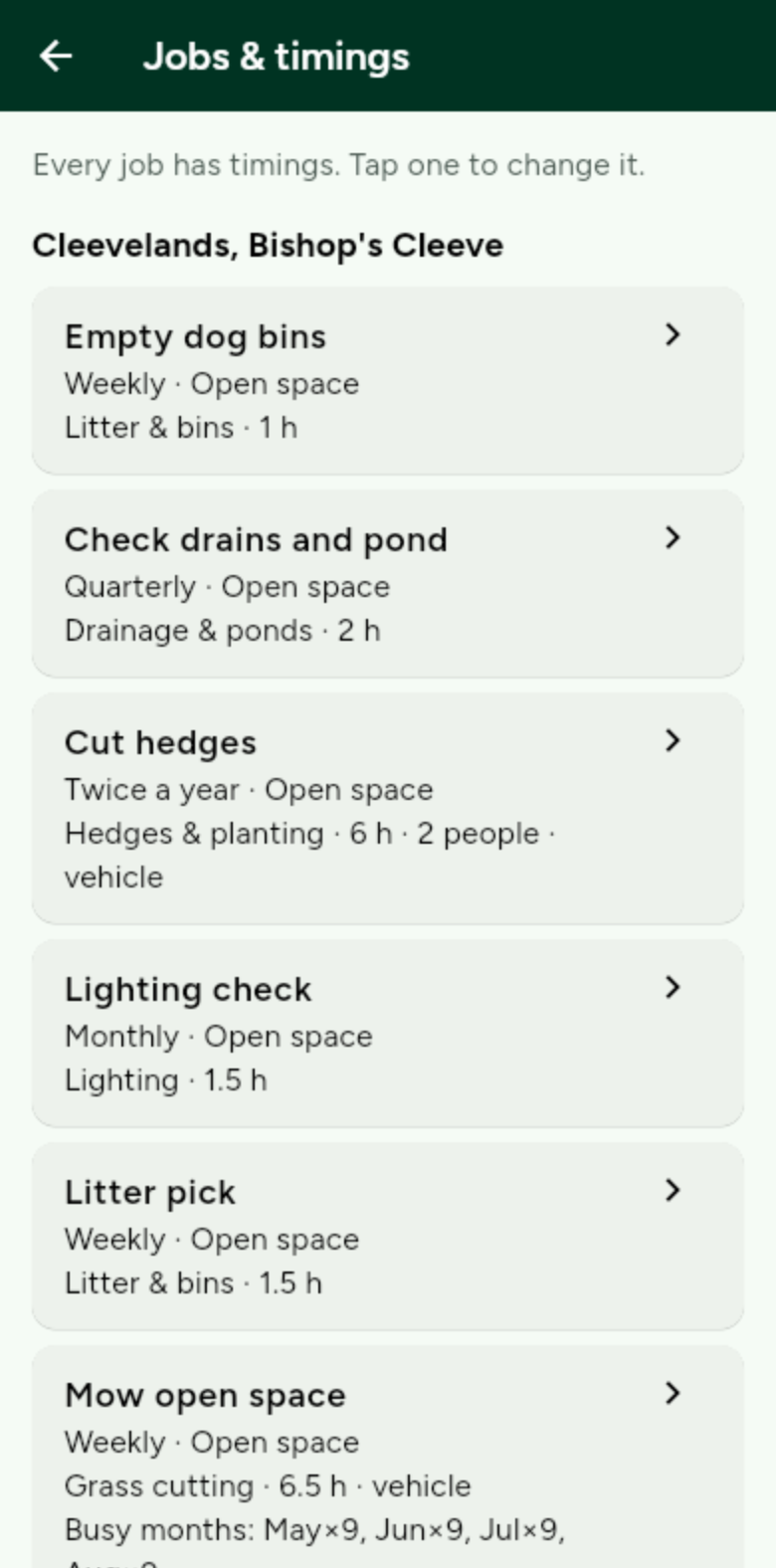
Jobs without settings use sensible starting guesses, marked as estimates. -
Plan the year
Open Planner and tap Plan. You get a plain-English verdict: what can be covered, where the gaps are, and roughly how many extra people you would need.
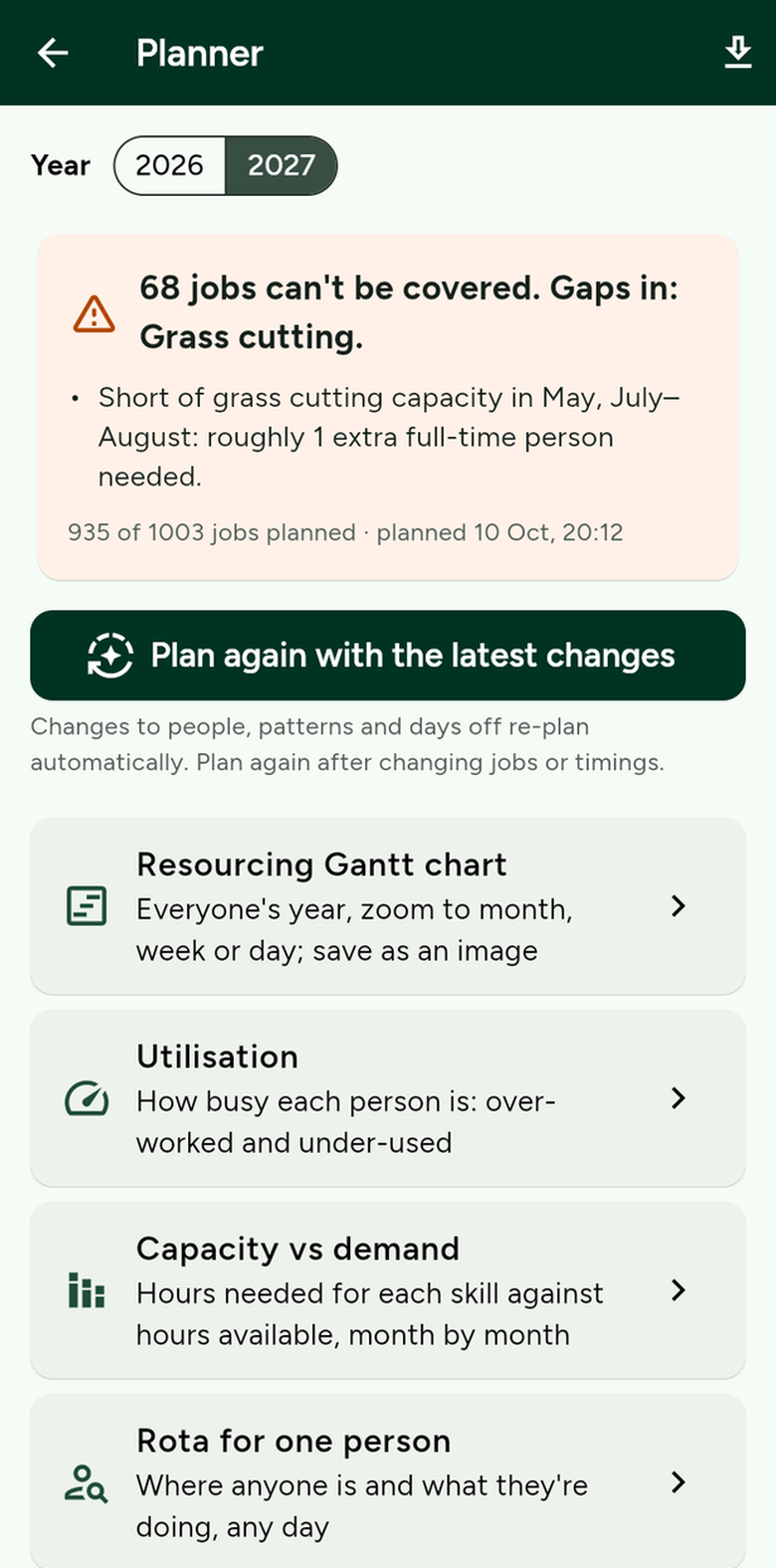
Then open the Gantt chart, utilisation and capacity from here. -
See anyone’s rota
Open Rota and pick a person to see where they are working and what they are doing, by day, week, month or year. Download it as a spreadsheet.
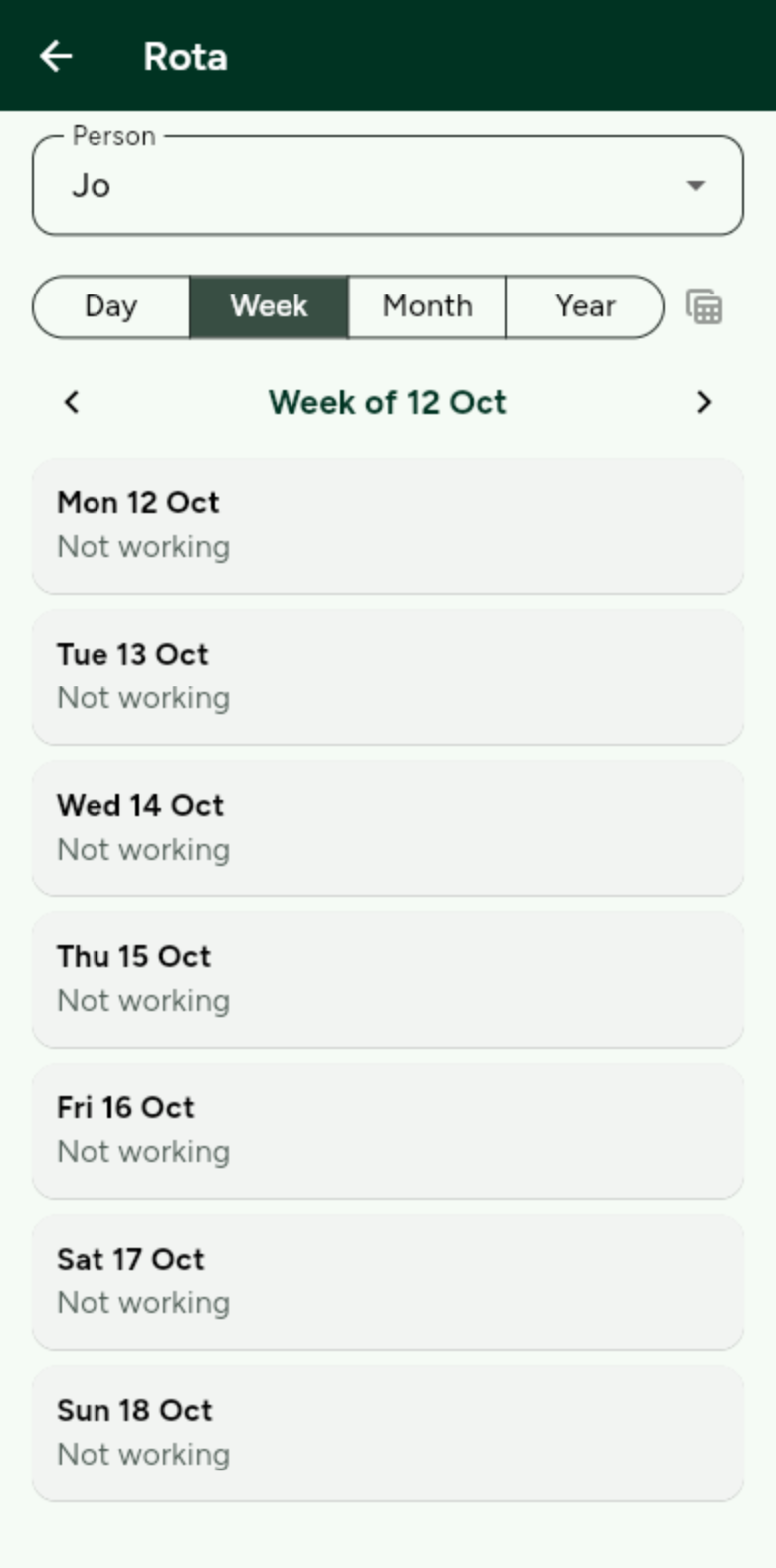
Each person also sees their own rota on their phone. -
Reports become jobs
When a resident reports a problem, it becomes a job for someone with the right skill: within 1 working day if it is Dangerous, 5 if Medium and 15 if Low.