Estate management companies
Add your team
Add everyone you schedule. People without an account can still be planned, and invited later. Only your company's admins can see this.
-
Open Team and staff
From your company home, tap Team and staff. You see everyone you schedule, what they can do and when they work.
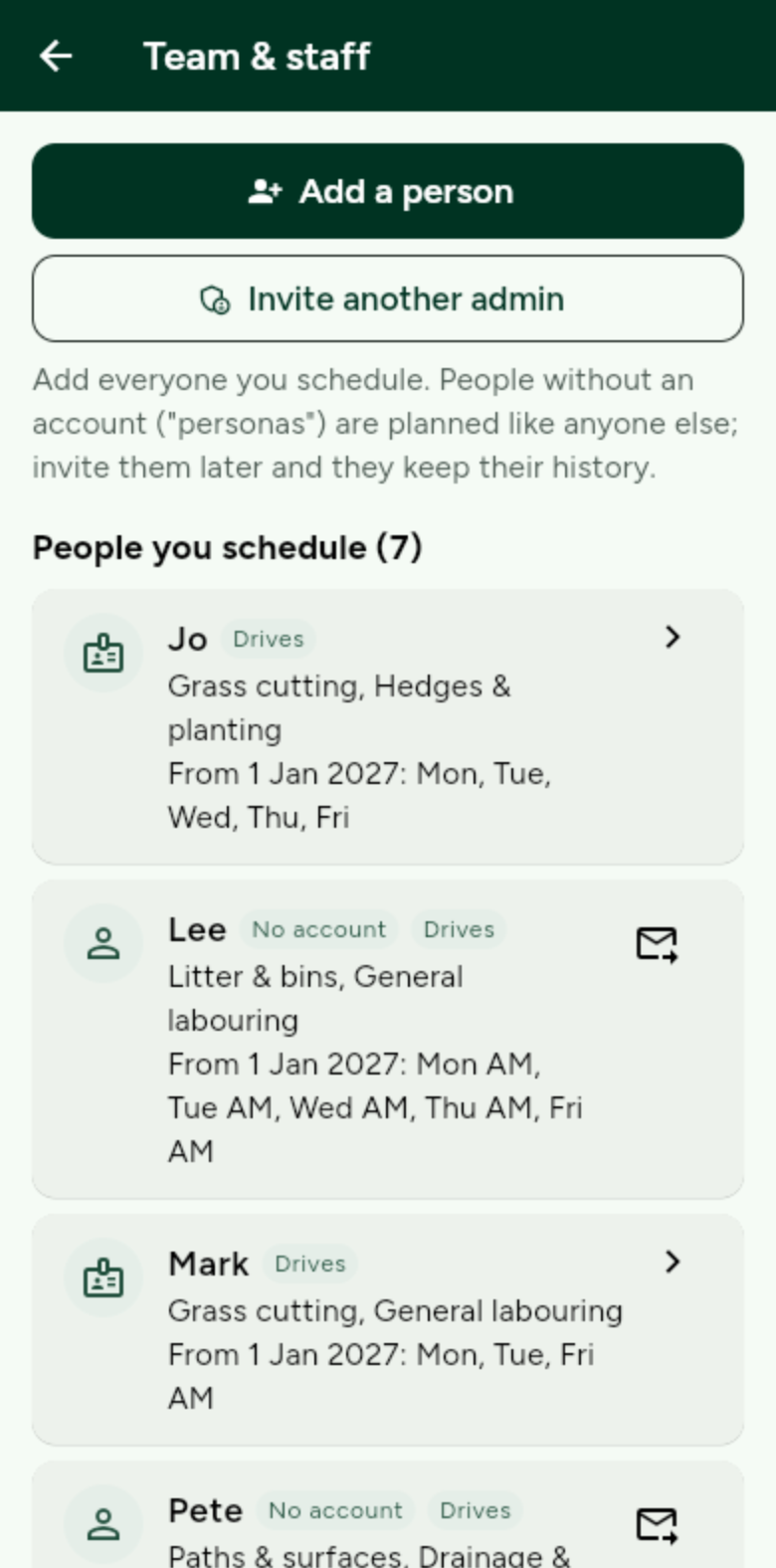
Add a person, or invite another admin to help run the company. -
Tick their skills
Open a person and tick what they can do. These are the same categories residents report under, so a report about lighting goes to someone with the lighting skill.
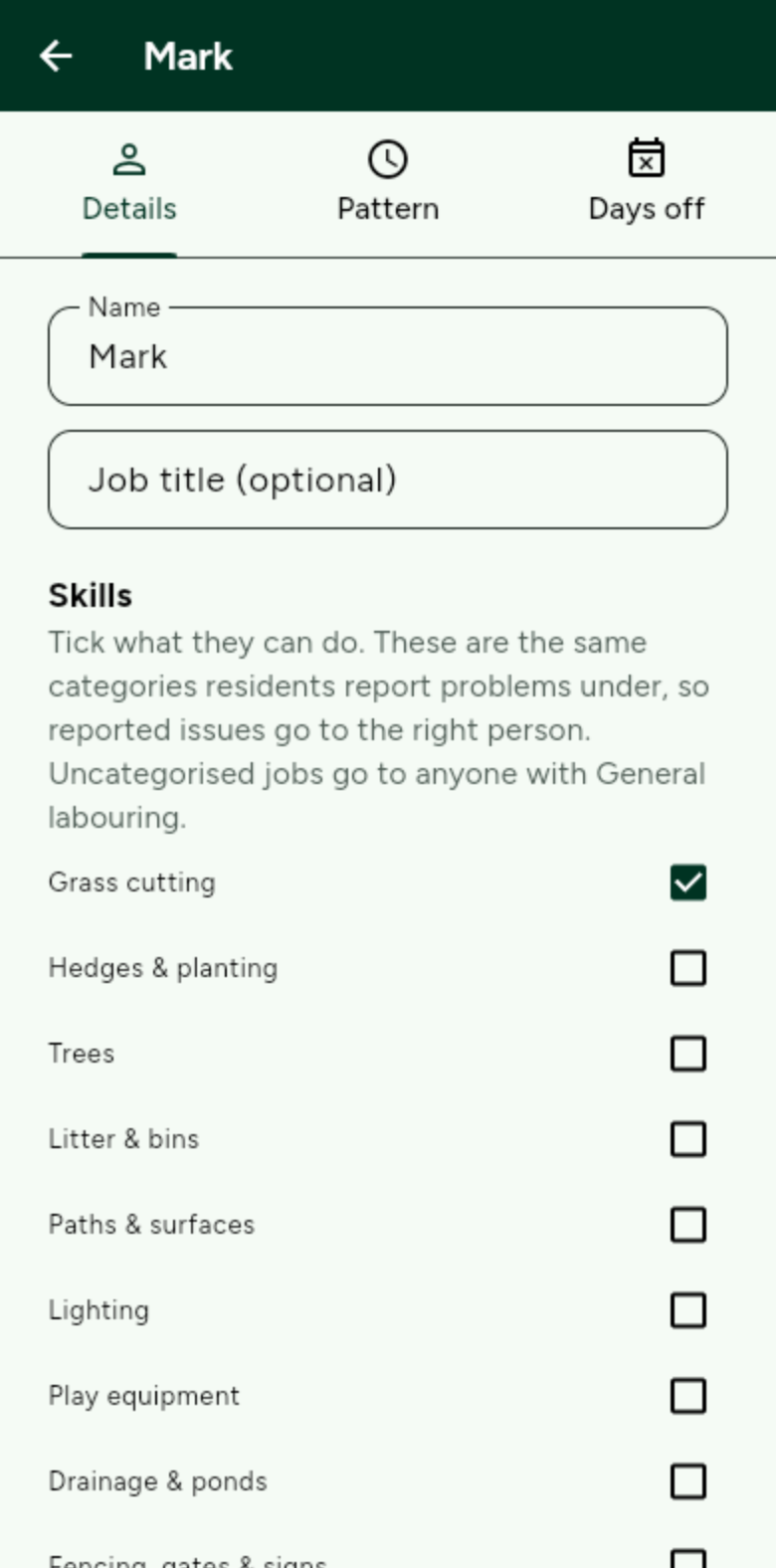
Uncategorised jobs go to anyone with General labouring. -
Invite them, if you want to
Send a one-use invite link so they can sign in and see their own rota. They keep their history when they join. Until then they are planned like anyone else.