Residents
Report a problem
A broken light, long grass, a bin overflowing. Pin it on the map. Staff see it on the same record.
-
Open the map
Open your estate. You land on Map. Coloured areas show who looks after which land.
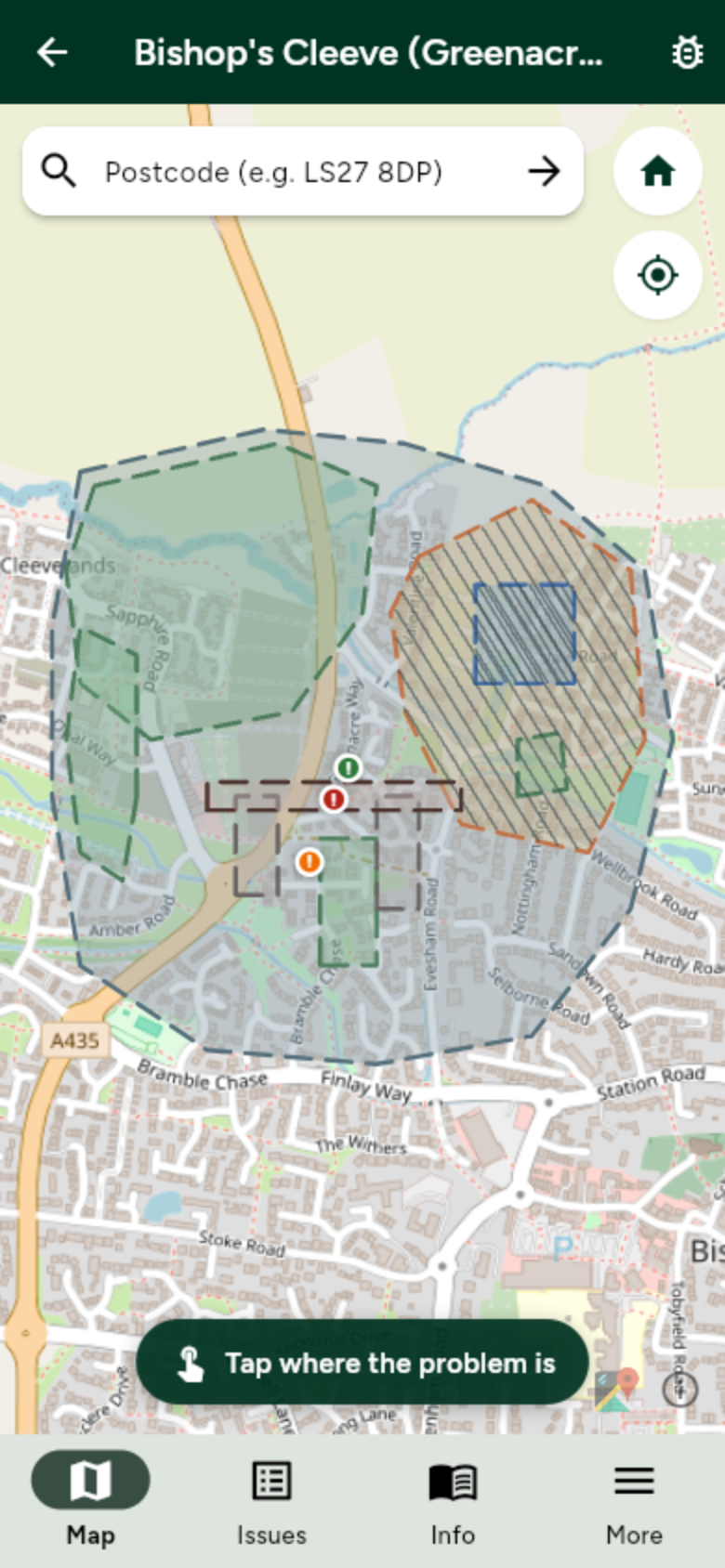
Stay on Map. Zoom in if you need a closer look. -
Tap the spot, or the item
Tap where the problem is. If it is a lamp, bin, bench, gate, sign, tree or play item on the map, tap that pin. A sheet asks if you want to report it — including a report about that item.
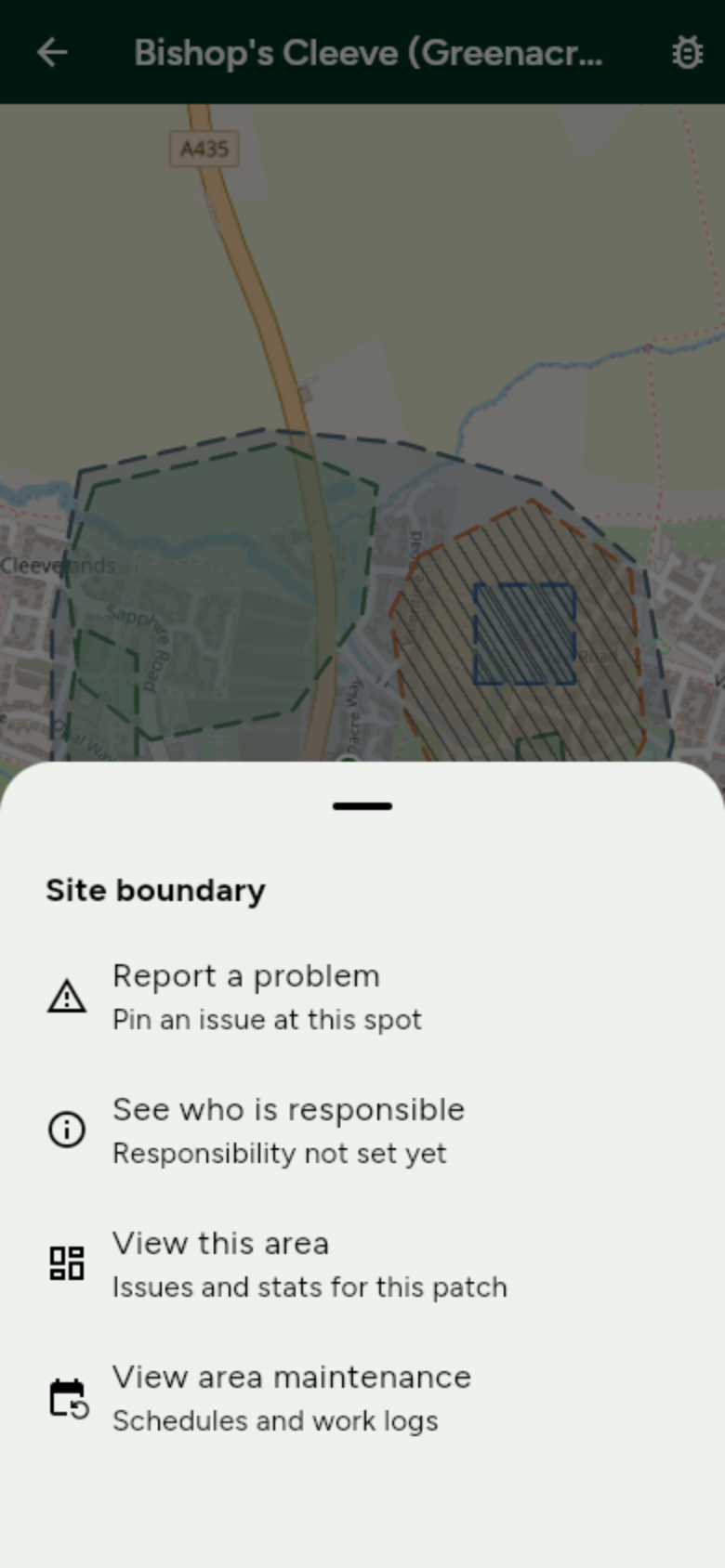
Tap Report a problem. For a map item, that ties the report to that lamp, bin or other point. -
Write a short note and send it
Photo attachment is coming soon. Describe the problem. Pick Low, Medium or Dangerous. Tap Send report.
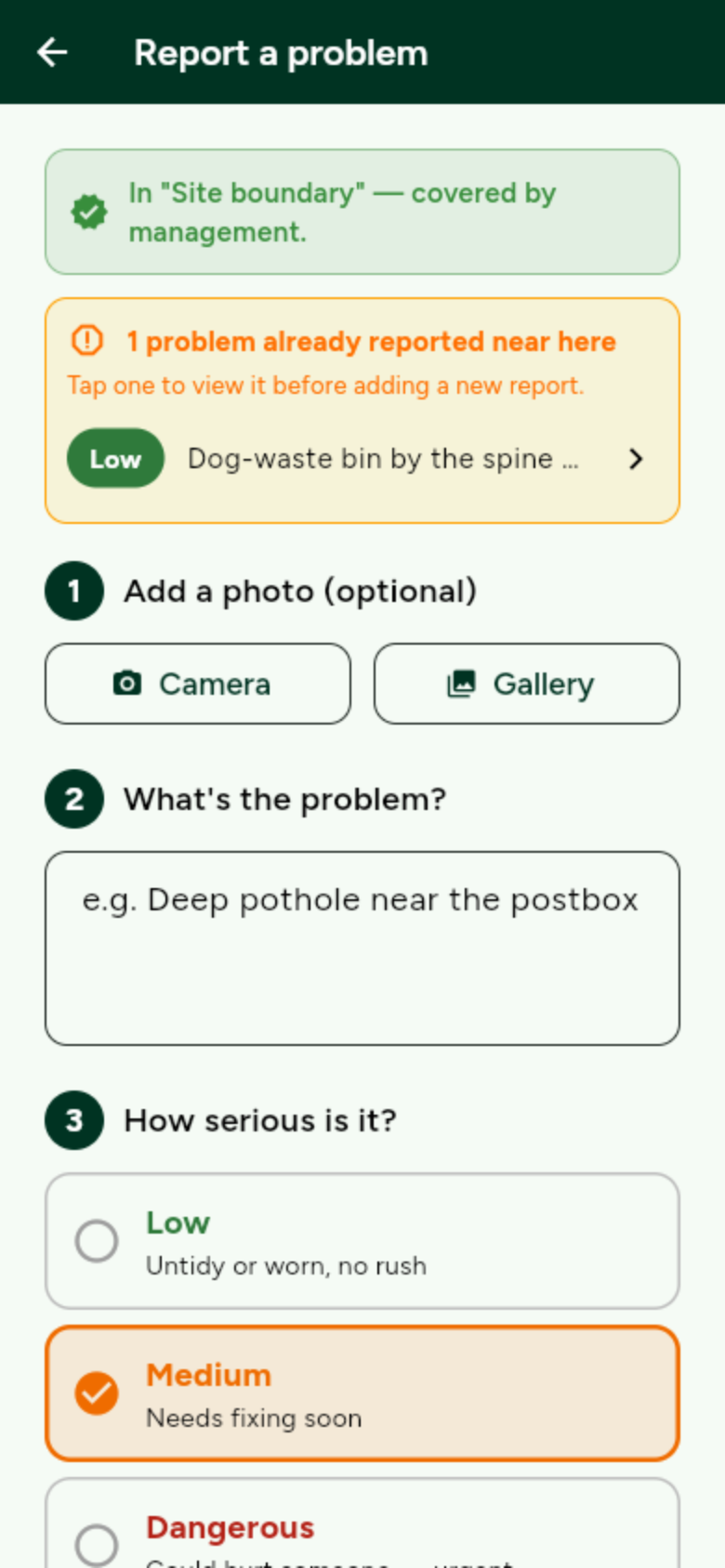
Mark it Dangerous if someone could be hurt. OurGround is not 999.